2/14/17

Valentine's Day K-oss Pawty Kid's Room!

Welcome to the K-oss Kid's Room!!


We're going to have a blast playing chess and then maybe a few games of Go Fish. We might even get real daring and play a nice game of checkers!!


Ummm, Arty...Sweetheart. Those weren't very exciting games...I think I hear the kids over in the coat closet.


Where is that light switch??? Oh, there it is....


OMD...Spin the BONE??? I sure hope your pawrents don't find out about this!! They will never let me take care of you all again!!  


Let's head over to the Prancing Paws Dance Studio so Miss Madi can give you your Dance Lessons!
Miss Madi must be on her way, Mabel and I will show you how to the Waltz while we wait. It's really easy, just try not to step on your partners paws.


Just in time, here is Miss Madi, your Dance Instructor!


We're going to let you guys have fun with Miss Madi for a bit while we stop by Abby's Food Truck to see what she has cooking!


Now that Arty and Mabel are gone, let's get this dance pawty going!!!


Isn't the Time Warp from way back in the olden days....you know THE SEVENTIES????


WAHOO....who knew a dance from the stone age could be so very much FUN!!!


OMD....I sure hope we don't get in trouble for this Arty!
Don't worry Mabel, 
What Happens in the Kid's RoomStays in the Kid's Room!!!
Right Kids???


We hope you all had a good time and don't Forget to take the Valentines we made,  home to your Pawrents!


Don't forget to hop around to see what every one else is up to today!!!


2/12/17

A Day of Love, a Day Early!

 Mabel and I are about to head out to decorate the Youth Room for the Valentine's Kits, Kritters and K-9's K-oss Pawty ready. The Mamaparrazzi is out and taking pictures of us all a day early!


Mamamamama....Don't embarrass me in front of Abbe!!


Dory and Bailey are busy discussing which island to retire to!


...and Bilbo is ready to hit the dance floor!!


 Make sure and visit all the rooms of the pawty tomorrow!!

2/11/17

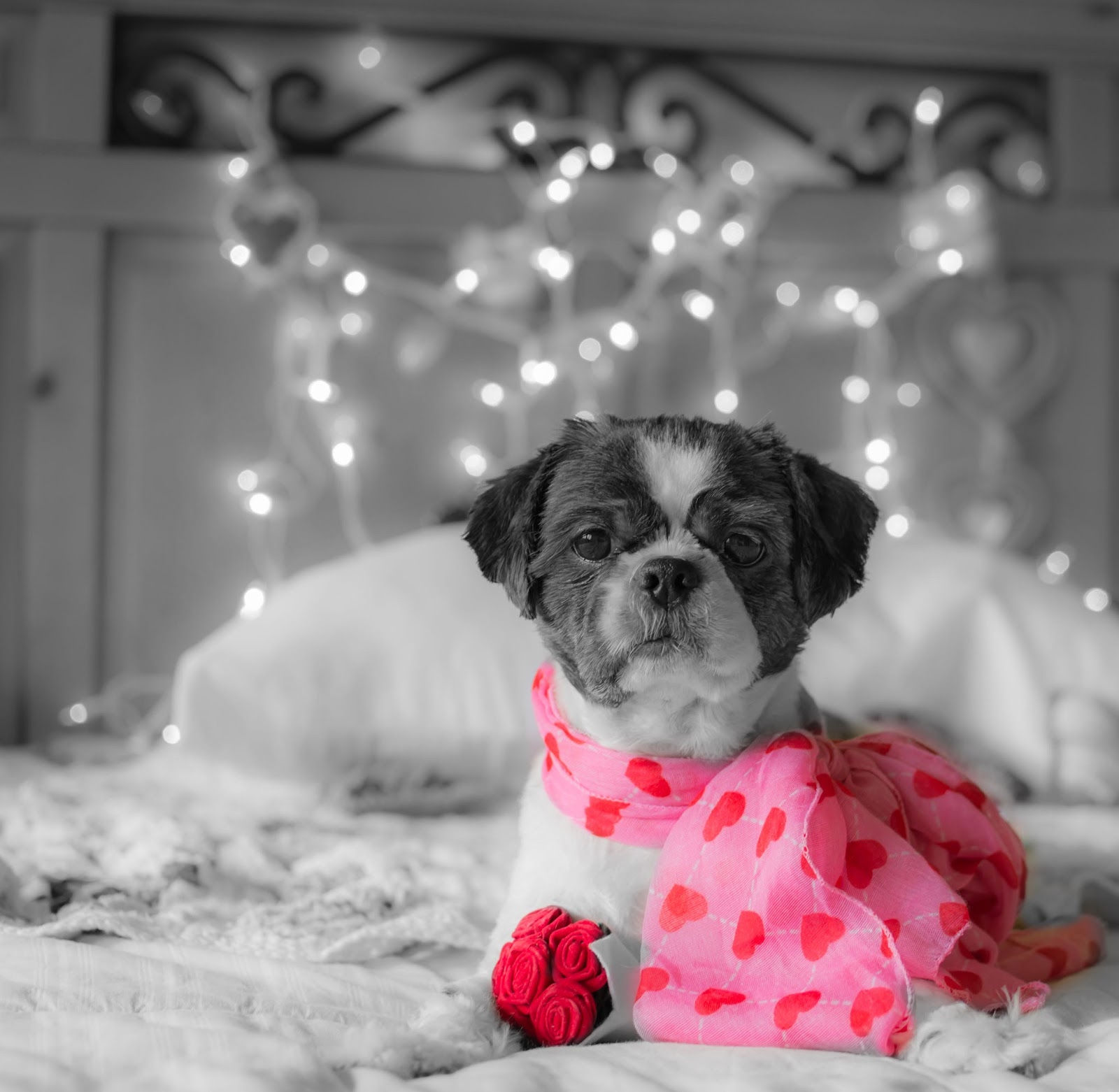
BWSS-Hopeless Romantic

I can't wait to spend Valentine's Day with Mabel!!


We are joining Nola and Sugar for Black and White Sunday this week!!


We are also joining The Cat on My Head this week for Selfie Sunday


2/9/17

Blogville A&E February Challenge Tutorial, Part Deux

Howdy, and welcome to Part Deux of our February Arts and Entertainment Challenge Tutorial. Today we are doing a Self Pawtrait at PicMonkey! If you missed Part One(How to use Pizap for your Self Pawtrait)
click HERE to transport over!


 Today I, Jakey, will be the Supermodel!! This is the original picture I am using for my Self Pawtrait!


 Let's head over to Picmonkey.com. Just a note, Picmonkey also has an application for Mama's iPhone (she hasn't checked her tablet yet). It doesn't have the textures that the computer version has..but it is still fun to watch Mama play with it!!
 

 Now where was I...oh yeah:


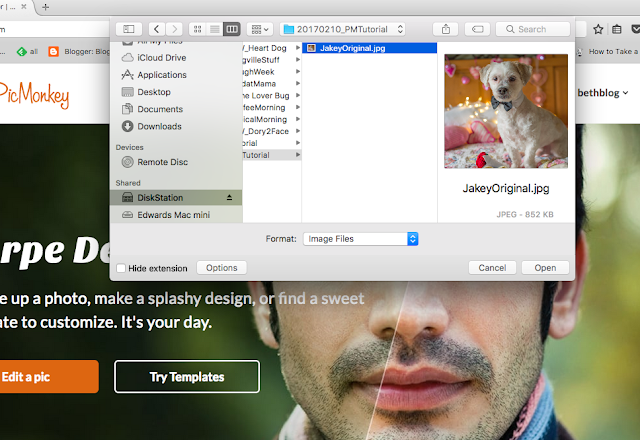
 Click on Edit on the top left of the options. As usual, Mama keeps most of her pictures on the computer so we click computer to find my picture
(Daddy, on the other hand, keeps most of his pictures in Facebook).


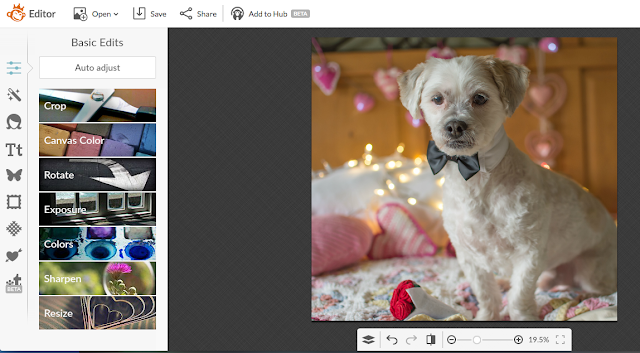
 Pick the picture you want for your self pawtrait and click Open!


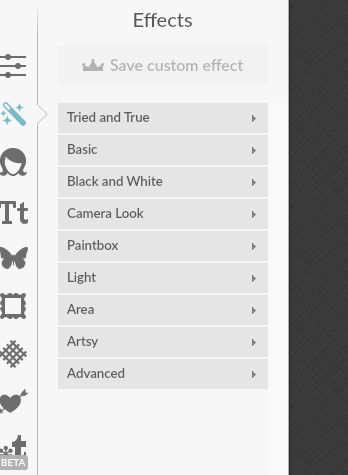
 Pic Monkey can do millions of trillions of different things, but today we are going to look mostly at the Effects(Magic Wand, the second icon down on the left) and Textures (the cross hatch diamond 7 icons down on the left).


 Here are just the Effect Groupings...there are so many wonderful effects to play with. Make sure to take your time and play with them!!


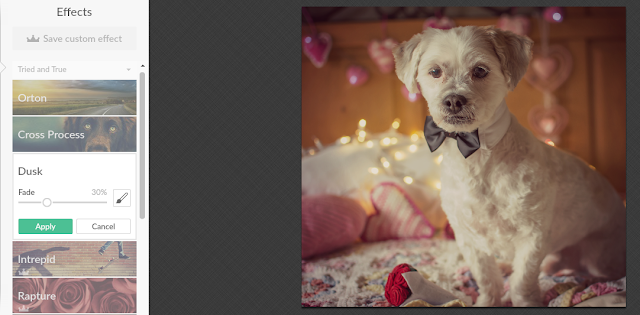
 Here I am with a Dusk effect


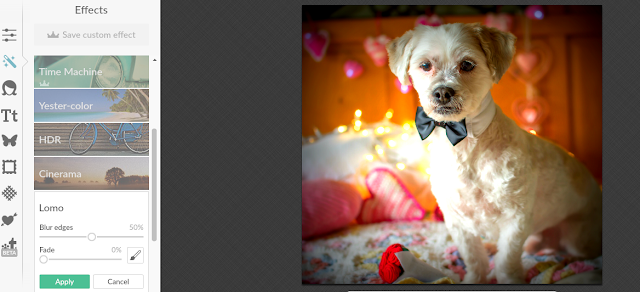
 Here I am with the Lomo effect. I really liked this one so I hit apply to make sure I kept it when I went over to Textures!


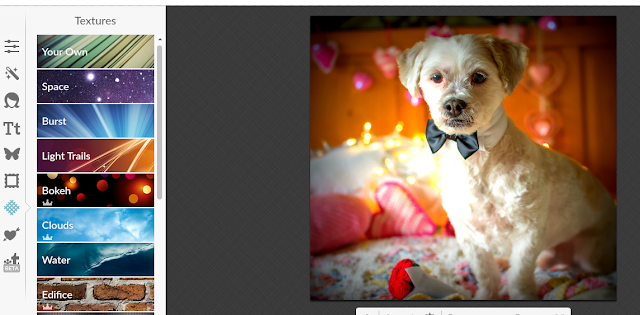
 PicMonkey also has tons of fun Textures!! Some of them are for Premium Members, but I just looked at the basic ones for now! Jus another warning, make sure your assistant does not start looking at these until AFTER your dinner has been served!


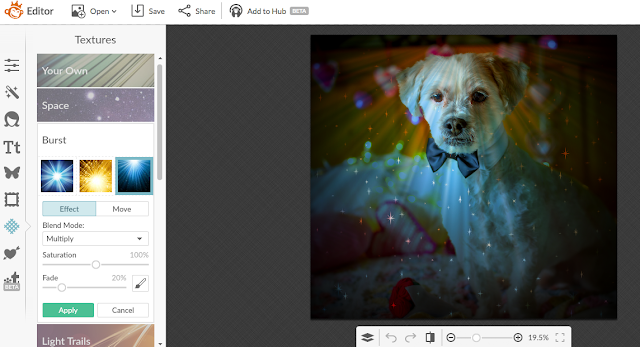
 Check out this cool Burst effect!! It looks like it's raining stars!


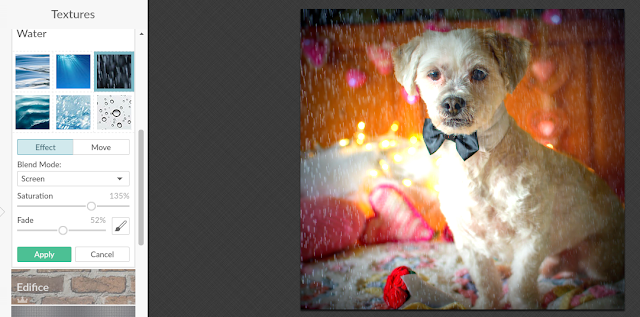
 But the one I really liked was the water textures!! I chose this one that kind of looks like the rain that is falling outside...but I didn't even get WET!!!
Mama played with the slider thingies until we both liked the way it looked and the hit "Apply"!


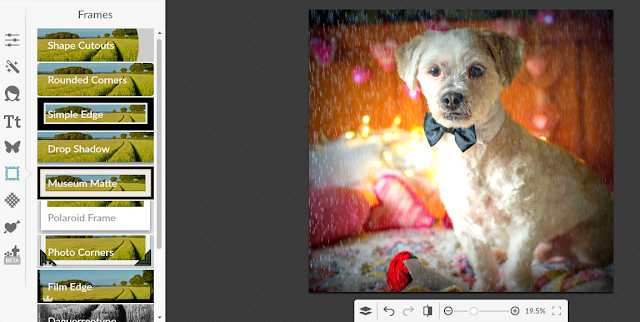
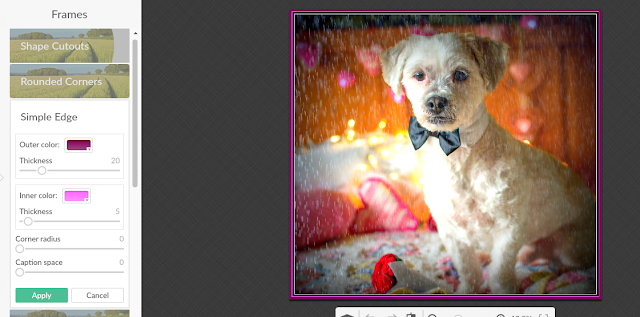
 Because this effect and texture didn't have a frame, we decided to add one, lickedy split! We went to the frame icon and picked the Simple Edge frame.


 It gives you the option to change the inside and outside colors, so we made the frame a little more Valentine-y with some purple and pink! 
Easy Peasy!!


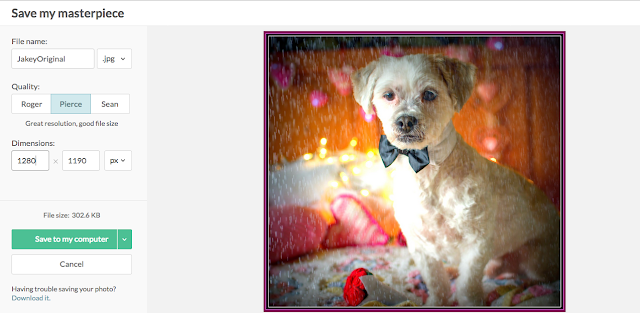
Now, it's time to save our masterpiece!! So let's click on the Save icon at the top of the screen!


 Mama's camera takes pictures in REALLY BIG dimensions, so she always resizes them a bit smaller. Make sure to leave us a comment or email us at bethblog(at)ebchristians(dot)com if you want more information on resizing. One trick, always resize smaller NOT bigger or you may end up looking a bit fluffier and fuzzier than usual! BOL!


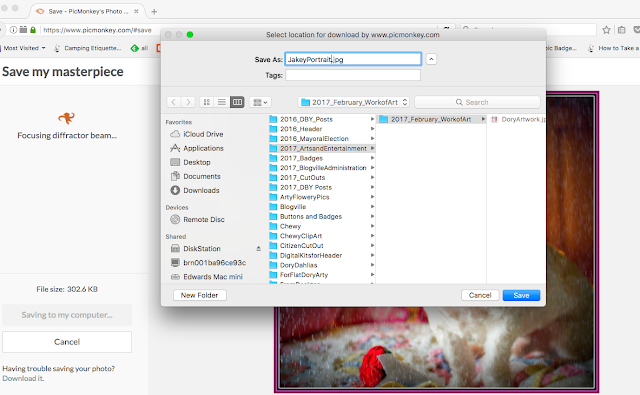
Most important of all, make sure your assistant saves it somewhere where they will remember!! TeeHeeHee!!


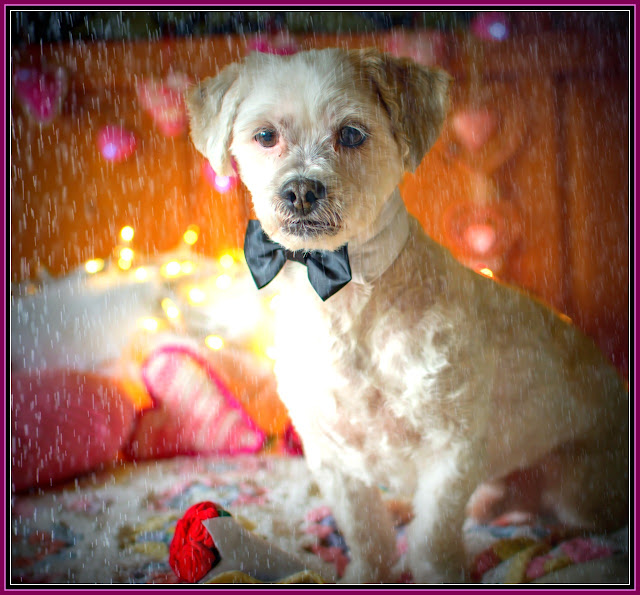
TADA!!! 
Here is my Self Pawtrait for Louis's February Arts and Entertainment Challenge!! Make sure to read all about it
HERE and get your entries in before the February 15th Dead Lion!

2/8/17

Blogville A&E February Challenge Tutorial


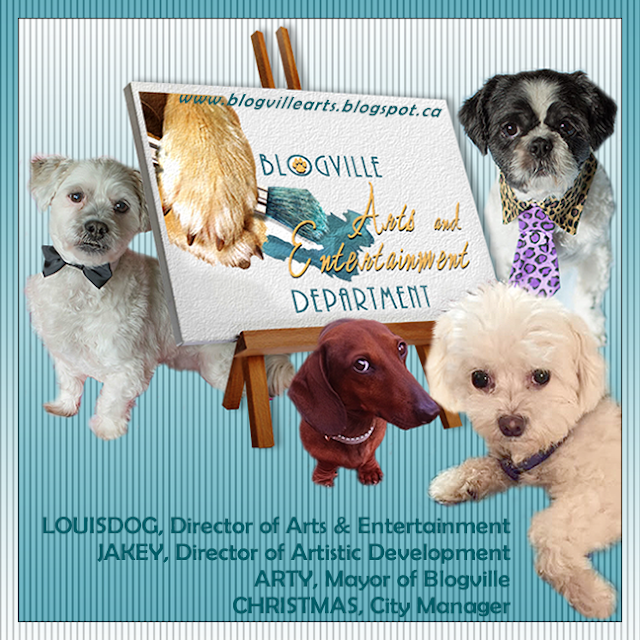
 Have you heard??? Louis, the Director of Arts and Entertainment and I, Jakey, the director of Artistic Services, have combined our departments!!
 Now, we won't be making too many changes, mostly you will be able to find a Tutorials Page both HERE, at Dory's Backyard, AND over HERE, at the Blogville Arts and Entertainment page!! 

Have you seen the February A & E Challenge yet, it's Self Pawtraits!!! Click HERE to read all about the challenge! The Dead Lion of February 15th is very firm, so make sure to get those entries in. 

The Self Pawtrait Gallery will open on February 25th!
  

Today and tomorrow we will be doing two different tutorials for this challenge. Today's tutorial will be how to do an artistic self pawtrait on Pizap and tomorrow we will be doing an additional tutorial on how to turn your self pawtrait into art on PicMonkey!! 
Let's get started! 
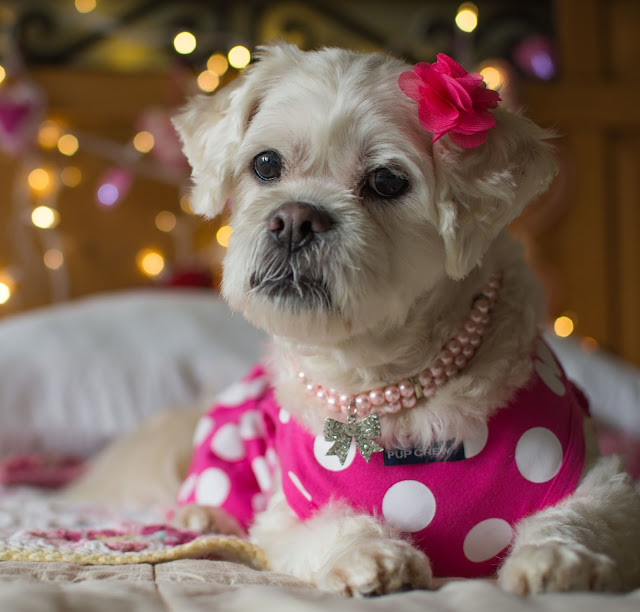
For the Pizap Self Pawtrait, Dory has agreed to be my Super Model and the picture above is the original picture we used! Before we get underway, we want to tell you that the Pizap App is available for your phone, tablet AND computer. This means your assistant can take your picture and edit it, then send it all on any device you might have! 
 
We also want to let you know there are MANY different Applications available to "Art-ify" your self portrait, just search for "Photo Effects" on the device you are using....just be careful, we know our assistant (aka Mama) loses track of time when she starts playing with pictures and sometimes dinner ends up being LATE!!
 
Now, back to our tutorial!
 
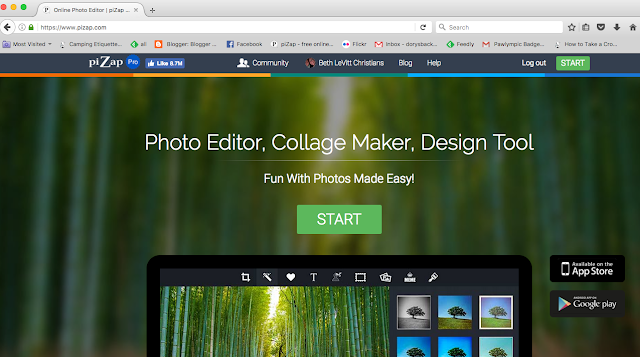
 First, let's go to Pizap.com and hit the big green Start button!!


Next, click the edit button!


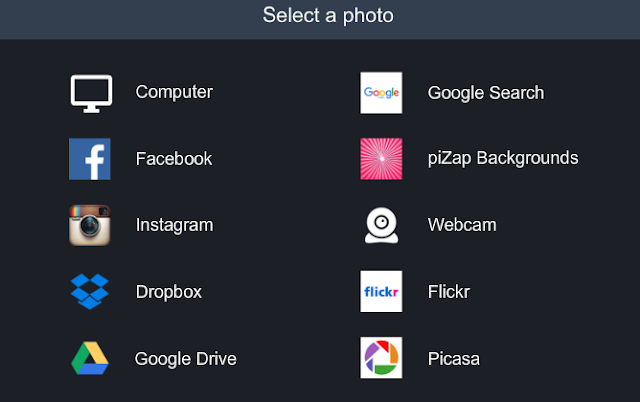
 We keep all our photos on our computer, so we click the "Computer" icon here!


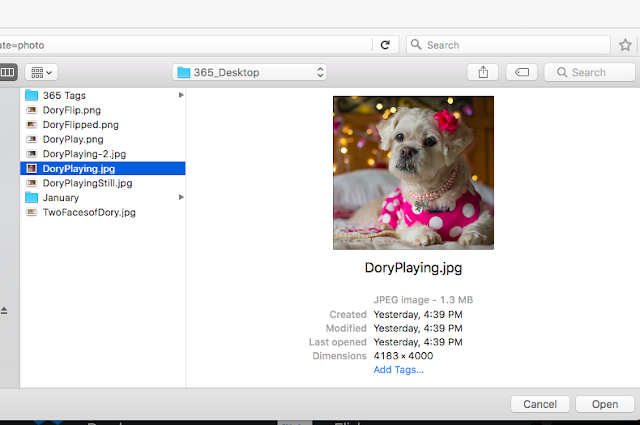
Choose the photo you want to use, and click Open


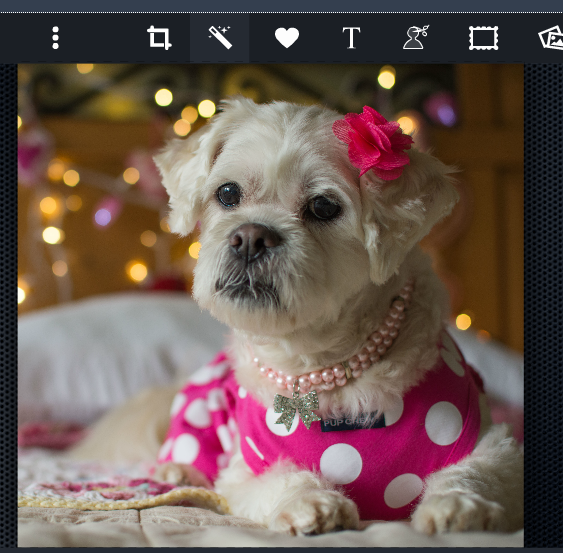
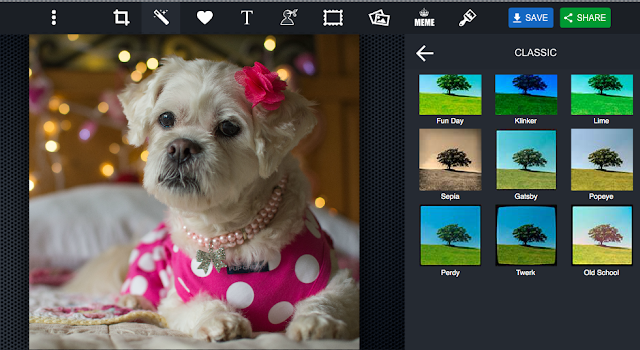
Click the magic wand at the top of the screen to bring up the Pizap effects!


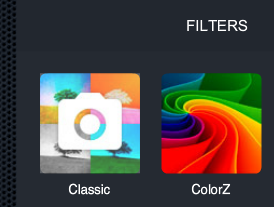
 The two basic filters, or effects, are Classic and Colorz. If you have
Pizap Pro, you will have a few more options.


 Now it is easy, peasy...Just click and see what filter you like best!!
Make sure to have fun trying each one out!


 Here are only a few we tried:
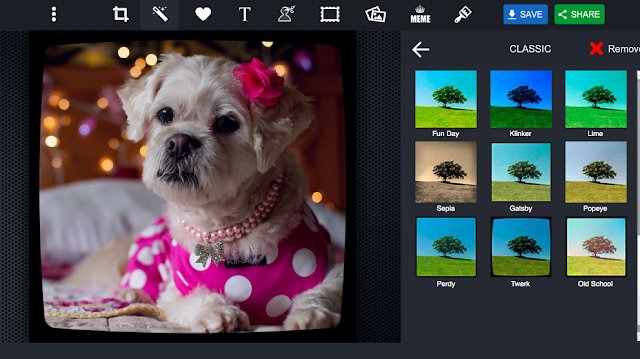
 Here is Dory channeling her inner Madi with the "Twerk" Filter


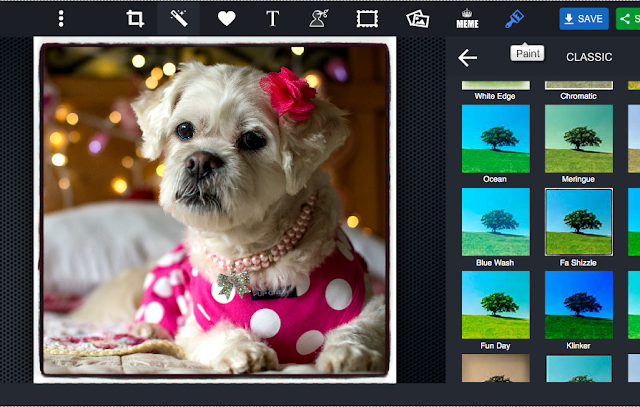
 Here is Dory all FaShizzled!


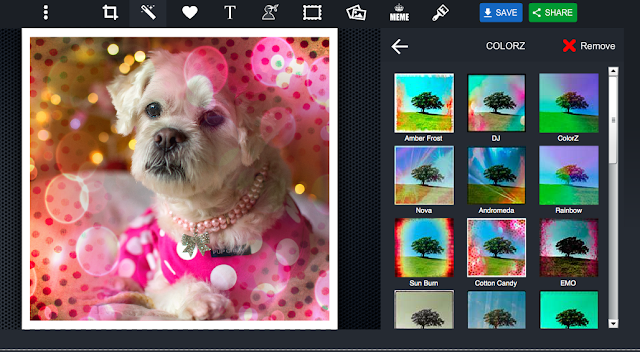
 Here she is with the Colorz filter; Cotton Candy


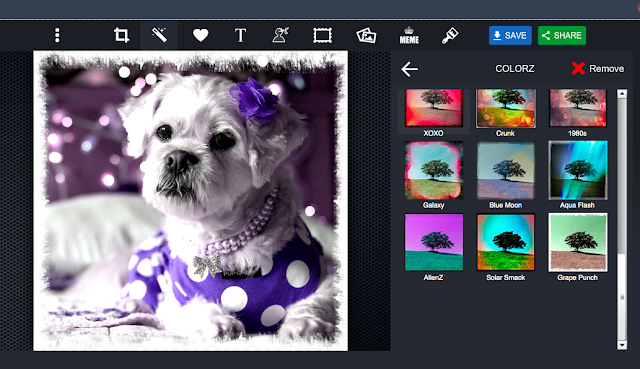
...and the Grape Pow Filter!!


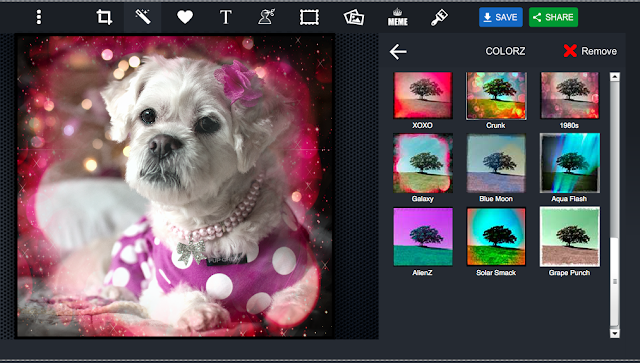
 We decided that, because Dory is a Star, we would go with the Galaxy Filter! Notice that it already has a frame and everything!! So let's save it by clicking the blue "Save" button at the top right of the screen!


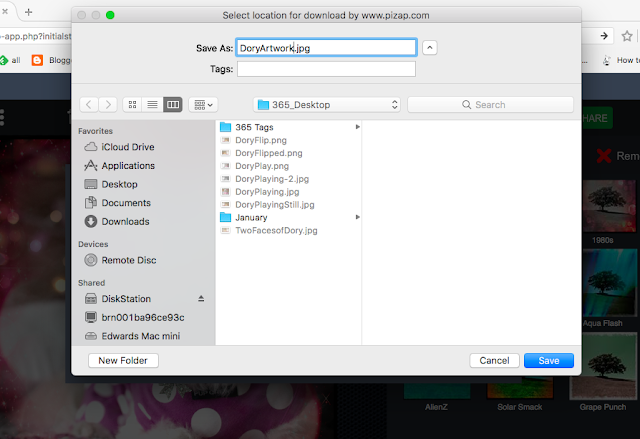
 Now all that's left is making sure that you or your assistant
save the photo someplace they will remember!


 ...an TADA!!! You have an Artistic Pawtrait that is out of this world (teeheehee)!!


Make sure to turn in tomorrow when we show you the pawsibilities in 
PicMonkey!!